
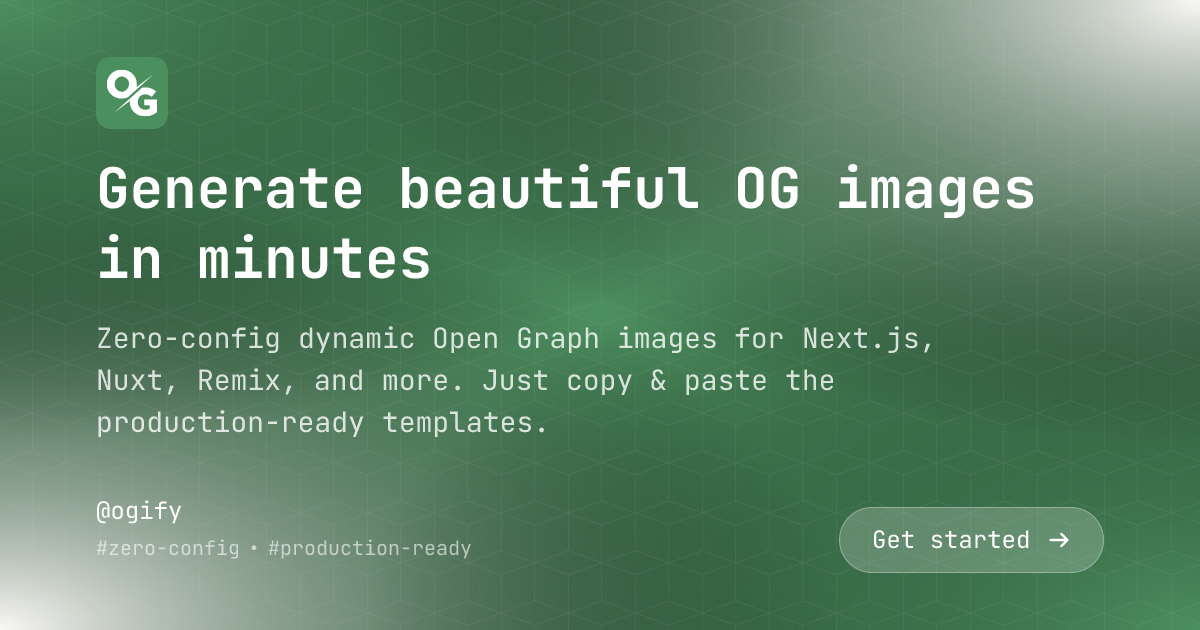
basic template is a production-ready, highly customizable JSX template that supports three layouts, HTML subtitles via htmlSnippet, and full RTL support.
Import
Parameters
string
required
The main heading text. Supports plain text or trusted inline HTML via
htmlSnippet.string
Optional subtitle or description text. Supports plain text or trusted inline HTML
via
htmlSnippet — use <span class="..."> for
styled words (e.g. <span class="font-bold">Zero-config</span> dynamic OG images).string
Your brand or company name
string
URL to your brand logo image
string
Call-to-action text (e.g., “Read More”, “Learn More”)
string[]
Additional metadata items (e.g., date, author, reading time)
'aligned' | 'centered' | 'split'
default:"aligned"
Layout style for the template
string
default:"#4c8f5f"
Primary color for gradients and background
string
default:"#faf8f5"
Secondary color for gradients
string
default:"#fff"
Text color
string
default:"https://assets.ogify.dev/patterns/cubes.png"
Background pattern image URL
Layouts
- Aligned
- Centered
- Split
Left-aligned layout (or right-aligned for RTL) with brand logo at the top and metadata at the bottom.
Examples
Fonts
The basic template uses JetBrains Mono font in two weights:- Regular (400)
- Bold (700)
Features
HTML Subtitle
HTML Subtitle
Title and subtitle accept trusted inline HTML. Styled words render correctly
without raw tags showing — powered by
htmlSnippet under the hood.RTL Support
RTL Support
Fully supports right-to-left languages. Pass
isRTL: true in the options to enable RTL layout.Customizable Colors
Customizable Colors
Control primary color, secondary color, and text color to match your brand.
Three Layouts
Three Layouts
Choose from aligned, centered, or split layouts depending on your content
needs.
Background Patterns
Background Patterns
Add visual interest with customizable background patterns.
Call-to-Action
Call-to-Action
Include a prominent CTA button with automatic arrow icons that flip for RTL.