OGify has built-in support for Right-to-Left (RTL) languages like Arabic, Hebrew, and Persian.

Enabling RTL

To enable RTL support, simply pass isRTL: true in the options object when calling renderToImage.
const imageBuffer = await renderer.renderToImage(
  "basic",
  {
    title: "مرحبا بالعالم", // Arabic: Hello World
    subtitle: "هذه أول صورة OG لي",
    layout: "split",
    cta: "اقرأ المزيد",
    extras: ["مرحبا بالعالم", "مرحبا بالعالم"],
    brandName: "علامتي التجارية",
  },
  {
    isRTL: true,
    fonts: [
      {
        name: "Rubik",
        weight: 400,
      },
      {
        name: "Rubik",
        weight: 700,
      },
    ],
  }
);
To display the text correctly, you must use a font that supports the specific language characters. We recommend checking Google Fonts for a wide selection of compatible fonts.
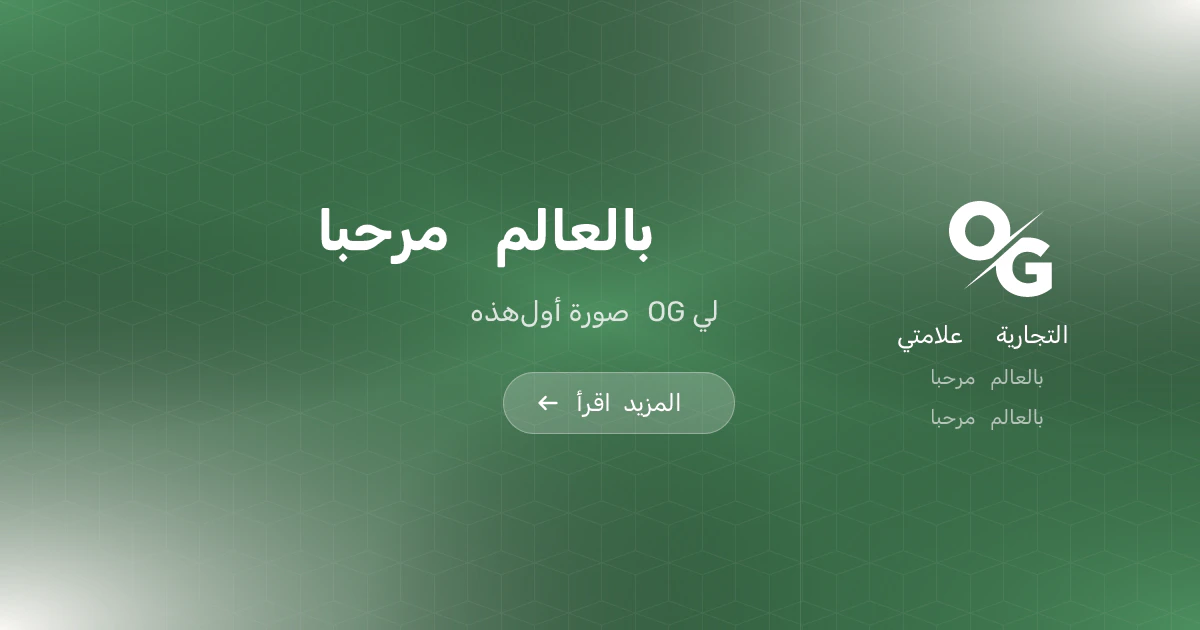
RTL

Template Support

All built-in templates (like basic) fully support RTL. If you are creating a custom template, you can access the isRTL boolean in your renderer function to conditionally apply styles.
renderer: ({ params, isRTL }) => {
  return `
    <div style="direction: ${isRTL ? "rtl" : "ltr"}; text-align: ${
    isRTL ? "right" : "left"
  }">
      ${params.title}
    </div>
  `;
};
Always test your templates with RTL content to ensure proper layout and text alignment.